Manage customer access
Find customers, manage their access, and review linked installations and devices.
 MASTERMINDTHE RESELLER EXPERIENCE← Back to main website
RESELLER TOOLS / CUSTOMERS & DEVICES
Panel toolsKeep customer access, activation codes, and linked devices in one place.
Website preview only. These controls do not change your panel, create accounts, or start trials.
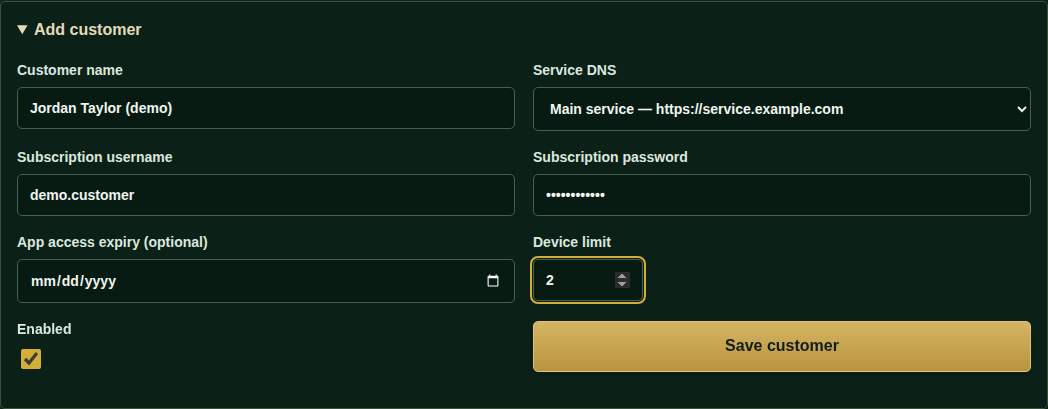
Actual panel training capture. Available controls vary with your current app build and access.
Find customers, manage their access, and review linked installations and devices.
Generate an activation code for a customer’s TV setup. HD Pro and Partner work as a compatible pair; IBO works alone.
Customers use the setup code. Provider credentials do not belong in your promotional messages.
BUILD YOUR RESELLER BUSINESS
Contact us for special discounted reseller pricing.
Talk about your setup ↗